
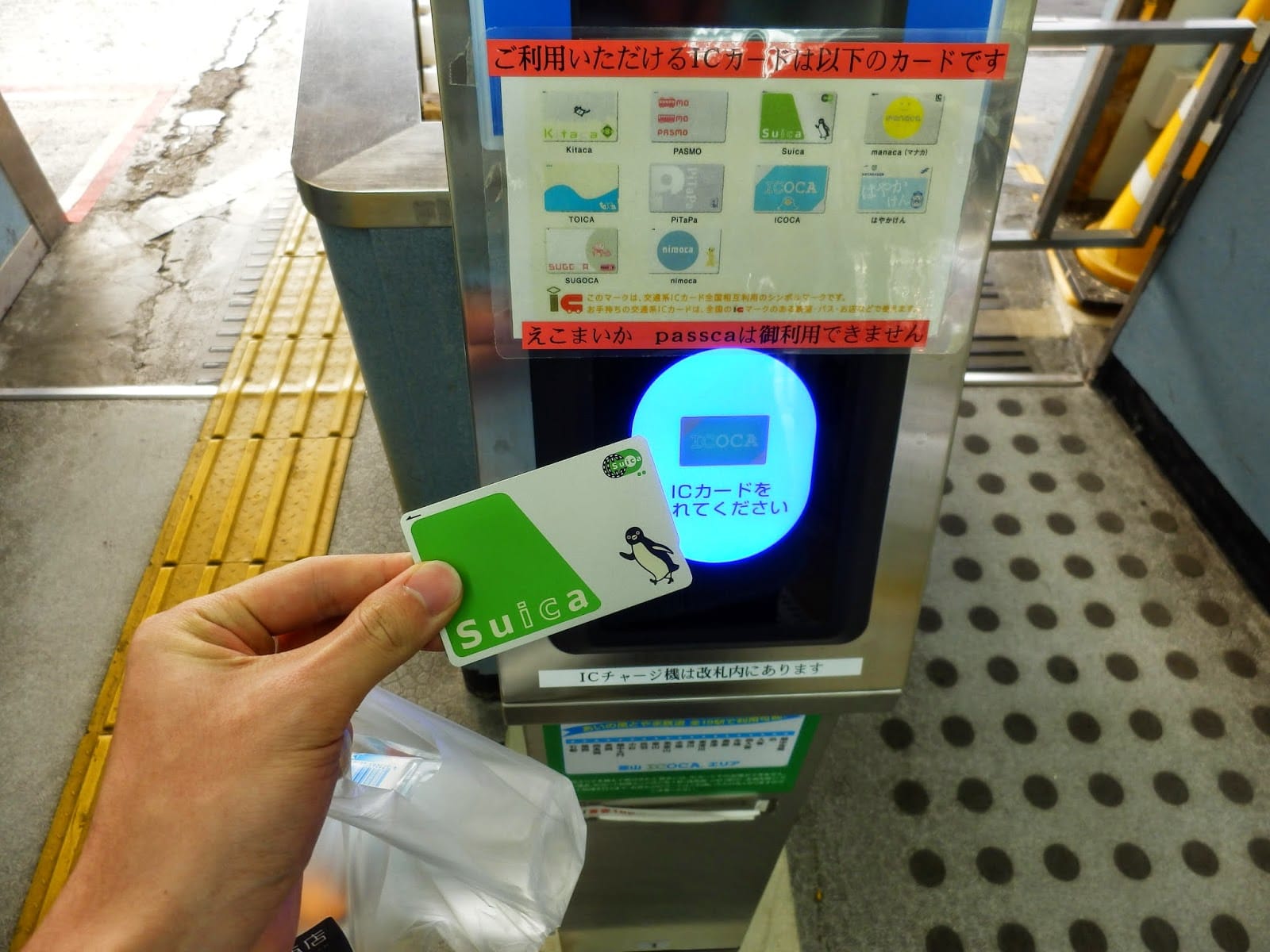
Suica & Pasmo on iPhone and Apple Watch
How to add Suica or Pasmo to your iPhone or Apple Watch for trains and shopping in Japan in 2026: setup steps, topping up with an international Visa card, and fixing common issues.
Mar 21, 2026·✍️ olablog·⏱ 3 min read
How to add Suica or Pasmo to your iPhone or Apple Watch for trains and shopping in Japan in 2026: setup steps, topping up with an international Visa card, and fixing common issues.
What Are Suica and Pasmo?
Suica (JR East) and Pasmo (Tokyo Metro) are rechargeable IC smart cards used to ride trains and buses, pay at convenience stores, and even cover the tab at select restaurants. Since 2016, you've been able to add Suica directly to your iPhone or Apple Watch — no physical card required.
Why Go Digital with Suica or Pasmo?
📱 No card to lose — just tap your phone or watch at the reader.
✈️ Set it up at home before you ever land in Japan.
💳 Top up directly through Apple Pay using your Visa or Mastercard.
🔋 Works even when your phone battery dies (Emergency Reserve Power — iPhone 8 and later).
How to Add Suica to Your iPhone (Step by Step)
Open the Wallet app on your iPhone.
Tap the + button → Search for "Suica."
Select Suica → tap "Add Suica."
Choose your starting balance ($7, $13, $20, $33, or $67 — equivalent to ¥1,000–¥10,000).
Pay via Apple Pay with your Visa or Mastercard.
Done — Suica is live in your Wallet app.
How to Add Suica to Apple Watch
On your iPhone, open the Watch app.
Go to Wallet & Apple Pay.
Tap "Add Card" → select "Suica."
If Suica is already on your iPhone, choose to transfer it to your Watch.
Heads up: Suica can only be active on ONE device at a time — iPhone or Apple Watch, not both simultaneously.
Using Suica at Train Gates
🚉 iPhone: Hold the back of your iPhone near the reader — no need to unlock it if Suica is set as your Express Travel Card.
⌚ Apple Watch: Hold your watch face up to the reader — payment is automatic.
🛒 At shops: Look for the "Suica," "iD," or "交通系IC" symbol at the register, then tap to pay.
Suica vs. Pasmo: What's the Difference?
| Suica | Pasmo | |
|---|---|---|
| Issuer | JR East | Tokyo Metro + other operators |
| Coverage | Nationwide (trains, buses, shops) | Nationwide (trains, buses, shops) |
| Practical difference | None — both work identically across all of Japan | |
| Verdict | Pick either one; Suica is marginally more widely recognized |
Fixing Common Problems
❌ "Can't add Suica": Your iPhone must be a model sold in Japan, the US, Australia, or the EU. Chinese-market iPhones typically don't support Suica.
💳 "International card declined when topping up": Use a Visa or Mastercard linked to Apple Pay and make sure international transactions are enabled on your card.
🔋 "Turnstile blocked me": Check your Suica balance — you need at least around $0.70 (¥100) to pass through the gate.
More from this region — Other
View all →
Summer Blooms & Cool Highland Escapes – Beat the Heat in Style
6 min · tips

Sunflower Fields in Japan: Golden Seas to Chase This Summer
7 min · seasonal
Tanabata Festival – The Star-Crossed Legend Behind Japan's Milky Way Celebration
6 min · seasonal

Tattoos and Kimono Rental in Japan: What Shops Allow and How to Cover Up
6 min · culture