
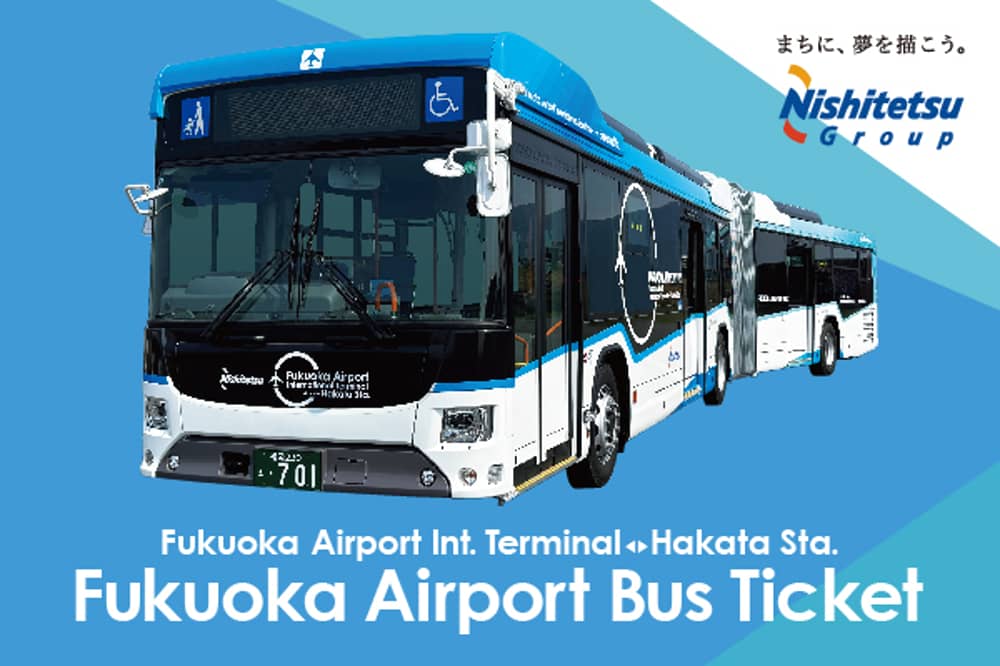
Nishitetsu Bus: Fukuoka Airport International Terminal → Hakata Station (ผู้ใหญ่: 400 เยน, เด็ก 200 เยน)
1–10 คน
- จำนวนที่รับ
- 1–10 คน
📅 กำหนดการ
นี่คือแผนสำหรับเส้นทางรถบัสที่เชื่อมต่อ Fukuoka Airport International Terminal ไปยัง Hakata Station
✅ รวมอะไรบ้าง
- ตั๋วรถบัส: ตั๋วเดินทางเพียงครั้งเดียวสำหรับรถบัสสนามบิน (เดินทางระหว่าง Hakata Station และ Fukuoka Airport International Terminal)
ข้อจำกัด
- การเข้าถึงและการใช้อาจถูก จำกัด ตามระดับความแออัด
- ตั๋วไม่สามารถขายต่อได้ ตั๋วใด ๆ ที่ขายต่อจะถูกมองว่าไม่ถูกต้อง
- หมวดหมู่อายุ: ผู้ใหญ่: 12 ปีขึ้นไป เด็ก: 6 ถึง 11 ปี *เด็กอายุต่ำกว่า 12 ปีไม่สามารถซื้อหรือใช้ตั๋วได้เพียงลำพัง
หมายเหตุอื่น ๆ
- Mogiri E-ticket
- เมื่อขึ้นรถ ให้เปิดหน้าจอการใช้งานจากลิงก์ที่ส่งให้คุณในเวลาซื้อ กดปุ่ม "ใช้" และแสดงหน้าจอให้พนักงาน (คนขับรถ) ดู *โปรดตรวจสอบให้แน่ใจว่าคุณมีการเชื่อมต่อเครือข่ายที่เสถียร เนื่องจากคุณจะต้องเข้าถึงหน้าเว็บบนสมาร์ทโฟนของคุณ *ไม่สามารถยอมรับภาพหน้าจอและสำเนาที่พิมพ์ได้ *หากคุณซื้อตั๋วหลายใบในธุรกรรมเดียว จะไม่สามารถใช้แยกกันได้ และตั๋วทั้งหมดจะถูกเปิดใช้งานพร้อมกัน หากต้องการใช้ตั๋วแยกกัน โปรดซื้อแยกกัน *เพื่อความปลอดภัย คุณอาจต้องรับรองความถูกต้องโดยใช้รหัสผ่านครั้งเดียว (OTP) หากได้รับแจ้ง โปรดทำตามขั้นตอนด้านล่าง: 1. ป้อนที่อยู่อีเมลเพื่อรับ OTP และกดปุ่มส่ง 2. ตรวจสอบว่า OTP ได้รับที่ที่อยู่อีเมลที่ตั้งไว้ในขั้นตอนที่ 1 (อีเมลที่มี OTP จะถูกส่งจากโดเมน booking@olachill.com โปรดตรวจสอบโฟลเดอร์สแปมของคุณด้วย หากคุณไม่พบที่นั่น ที่อยู่อีเมลของคุณอาจไม่ถูกต้อง เปิด URL สำหรับหน้าจอการใช้งานจากบัตรเข้าใช้อีกครั้งและลองอีกครั้งโดยป้อนที่อยู่อีเมลของคุณ) 3. ป้อน OTP ที่อยู่ในอีเมลที่ได้รับลงในหน้าจอตั๋วและกดปุ่มยืนยัน หากคุณป้อนอย่างถูกต้อง หน้าจอการใช้งานจะแสดงขึ้น (เมื่อการรับรองความถูกต้อง OTP เสร็จสิ้น OTP จะถูกส่งไปยังที่อยู่อีเมลที่คุณตั้งไว้ ไม่สามารถเปลี่ยนที่อยู่อีเมลนี้ได้ โปรดตั้งที่อยู่อีเมลที่สามารถยืนยันได้ในท้องถิ่นในวันใช้งาน)
- จำเป็นต้องมีสภาพแวดล้อมการสื่อสารที่เสถียรเพื่อเปิดใช้งานและแสดงหน้าจอตั๋ว
- เมื่อผู้โดยสารหลายคนใช้หน้าจอตั๋วเดียวกัน การขึ้นและลงภายในส่วนจะใช้ได้เฉพาะเมื่อบุคคลทั้งหมดเดินทางไปด้วยกัน
- อาจเกิดความล่าช้าหรือยกเลิกเนื่องจากสภาพถนนหรือสภาพอากาศ โปรดตรวจสอบสถานะการดำเนินการล่วงหน้า
- จะไม่มีการคืนเงินหรือขยายระยะเวลาใช้ได้สำหรับความล่าช้าของรถบัส นอกจากนี้ จะไม่จัดเตรียมรถบัสทดแทน
- หากคุณต้องการยกเลิกก่อนเริ่มใช้ตั๋ว โปรดติดต่อสถานที่ซื้อ ไม่อนุญาตให้ยกเลิกหรือเปลี่ยนแปลงหลังจากที่ตั๋วถูกเปิดใช้งาน
- สภาพแวดล้อมที่แนะนำสำหรับบัตรเข้าใช้ดิจิทัล: iOS: เวอร์ชัน 15 ขึ้นไปพร้อม Safari (เวอร์ชันล่าสุด) Android: เวอร์ชัน 10.0 ขึ้นไปพร้อม Chrome (เวอร์ชันล่าสุด) *แม้ในสภาพแวดล้อมที่แนะนำ การใช้งานอาจแตกต่างกันไปตามอุปกรณ์หรือเงื่อนไขอื่น ๆ
- ป้ายรถบัสไปยัง Hakata Station ตำแหน่ง: Fukuoka Airport International Terminal ชั้น 1 ป้ายรถบัส 6 และ 7 วิธีการใช้: - กดปุ่มเริ่มต้นเพื่อเปิดใช้งานตั๋ว (ใช้ได้เป็นเวลา 1 ชั่วโมงนับจากเวลาใช้งาน) - เมื่อขึ้นรถ โปรดแสดงหน้าจอตั๋วที่ถูกต้องให้พนักงาน *หากเวลาบนตั๋วไม่เคลื่อนไหว ตั๋วจะไม่ถูกต้อง
📍 จุดนัดพบ / รับส่ง
ป้ายรถบัสไปยัง Hakata Station ตำแหน่ง: Fukuoka Airport International Terminal ชั้น 1 ป้ายรถบัส 6 และ 7 วิธีการใช้: - กดปุ่มเริ่มต้นเพื่อเปิดใช้งานตั๋ว (ใช้ได้เป็นเวลา 1 ชั่วโมงนับจากเวลาใช้งาน) - เมื่อขึ้นรถ โปรดแสดงหน้าจอตั๋วที่ถูกต้องให้พนักงาน *หากเวลาบนตั๋วไม่เคลื่อนไหว ตั๋วจะไม่ถูกต้อง
🎟 อายุเวาเชอร์: ใช้ได้ 3 เดือน นับจากวันที่ซื้อ
⏱ กำหนดปิดรับจอง
ภายใน 20:00 ของวันใช้บริการ
📥 เปิดรับจอง
จองล่วงหน้าได้สูงสุด 3 เดือน